
+ 250 Spins
Across your first three deposits

Ninlay Casino Mobile App: Play on iOS and Android
The Ninlay Casino mobile app experience works through your phone or tablet browser, with the casino site optimised for iOS and Android. You can reach the desktop features from a mobile device and add a PWA-style shortcut to your home screen for easier access.
Quick Picks

Juicy Fruits Multihold
pragmaticplay
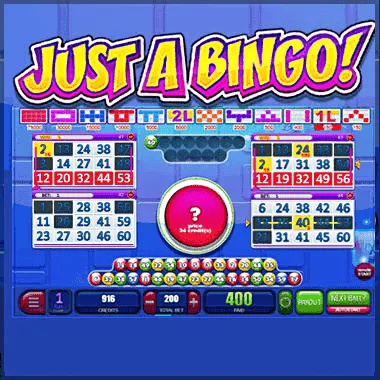
Just A Bingo
belatra

Deepsea Riches
mascot

Big Max Upgrade
swntt

Lucky Streak Dice 1
endorphina

Cocktail Rush Easter Edition
amusnet
Ninlay Casino on mobile: what you can use
There is no dedicated iOS or Android app to download. Instead, Ninlay Casino runs in your mobile browser and is fully mobile-optimised. That means you can use the service on an iPhone, iPad, Android phone or Android tablet without needing a separate app installation.
In this review
The mobile version gives you access to all desktop features. You can browse the casino, manage your account, use the cashier, contact support and enjoy the available entertainment from a smaller screen. The layout is designed to work across PC, tablet, iOS and Android devices.
| Device | How to access | What is supported |
|---|---|---|
| iPhone and iPad | Safari or another mobile browser | All desktop features |
| Android phone and tablet | Chrome or another mobile browser | All desktop features |
| PC and laptop | Desktop browser | Full site experience |
| Mobile home screen | PWA-style shortcut | Faster access to the mobile site |
How to use the mobile site without downloading an app
Getting started is straightforward. Open your preferred browser on an iOS or Android device and visit Ninlay Casino. The mobile layout adjusts to your screen, while the main features remain available through the browser.
- Open your mobile browser
Use the browser already installed on your iPhone, iPad, Android phone or Android tablet.
- Visit Ninlay Casino
Open the casino website in the browser. The mobile-optimised version should adjust to your device screen.
- Use the account area
The mobile site provides the same desktop features, including account tools and the cashier.
- Add a home-screen shortcut
Use your browser's add-to-home-screen option to create a PWA-style shortcut for quicker future access.
- Choose how you want to play
Use the mobile interface for casino entertainment, live casino activity or the available betting sections.
A browser-based setup can be handy if you switch between devices. There is no separate app update to manage, and you can use the same mobile-friendly site from an iOS or Android browser. Honestly, this is the part most people skip: adding the shortcut once can make repeat access much less fiddly.
If you are searching for a Ninlay Online mobile app, the practical option is the browser version and its home-screen shortcut. The experience is designed to keep the core desktop functions available on mobile rather than sending you to a reduced mobile-only service.
- Use an iOS or Android browser rather than looking for a separate download.
- Add the site to your home screen for quicker access.
- Use a tablet if you prefer a larger display.
- Keep your account details private when using a shared device.
- Set a deposit limit before playing if you want an extra spending boundary.
Mobile play, support and account safety
The mobile interface is built for more than simply opening the homepage. All desktop features are available on mobile, so you can move between the account area, cashier, casino sections and support tools from your phone or tablet. The site supports AUD as an account currency, alongside USD, EUR, CAD, NZD and other currencies.
When you need help, live chat is available 24/7. Email support and a help centre FAQ are also available, and support covers 20 languages including English, French, German, Italian, Spanish, Portuguese, Norwegian and Finnish. The stated live chat response time is 2-3 minutes, which is useful when you are working from a smaller screen and want a quick answer.
| Feature | How it helps on mobile |
|---|---|
| 24/7 live chat | Contact support directly from a phone or tablet |
| Deposit limits | Set a spending boundary through the account tools |
| Self-exclusion | Ask support to close the account permanently |
| SSL encryption | Personal and financial information is protected by encryption |
| Home-screen shortcut | Reach the mobile site with a single tap |
Mobile gambling still uses real money, so it is worth keeping the session within your entertainment budget. Deposit limits are available, and self-exclusion can be requested through support if you want to close the account permanently. Links to external gambling support organisations are also provided through the responsible gaming framework.
For general account use, a private connection and your own device are sensible choices. Avoid leaving an active session open on a shared phone or tablet. If you need help with an account question, Ninlay Casino provides 24/7 live chat as well as email support.
What to expect from the mobile experience
The main benefit of the browser-based mobile experience is flexibility. You can use a phone when you are away from your computer, move to a tablet for a larger display or return to a desktop without changing to a separate mobile account. The same desktop features are available across those supported devices.
The service is operated by Rabidi N.V. and was established in 2024. Ninlay Casino holds licences from the Curaçao Gaming Control Board and Anjouan iGaming, while SSL encryption is used to protect personal and financial information.
- iOS and Android browsers are supported.
- PC and tablet access is supported as well.
- All desktop features are available on mobile.
- The site can be added to your home screen in a PWA-style format.
- No dedicated iOS or Android download is required for mobile access.
- Live chat is available 24/7 if you need assistance.
If you are comparing a Mobile App experience with the browser option, the key question is convenience. The shortcut gives you quick access, while the browser version keeps the full feature set available. There is no need to manage a separate application, and you can use the device that suits you at the time.
Ready to use Ninlay on your phone?
Open the mobile-optimised site in your browser, then add a shortcut to your home screen for quicker access next time.
Mobile App: your questions
Does Ninlay Casino have a dedicated mobile app?
Ninlay Casino does not have a dedicated iOS or Android app. You can use the fully mobile-optimised site through a browser on your phone or tablet.
Can I use Ninlay Casino on an iPhone?
Yes. The site supports iOS through a mobile browser, and all desktop features are available on mobile.
Does Ninlay Casino work on Android devices?
Yes. Android phones and tablets are supported through a mobile browser, with the site adjusting to the device screen.
Can I add Ninlay Casino to my phone home screen?
Yes. The site can be added to your mobile home screen using a PWA-style shortcut, giving you quicker access without entering the address each time.
Are all desktop features available on mobile?
Yes. The mobile version provides access to all desktop features across supported phones and tablets.
Can I contact support from my mobile?
Yes. Live chat is available 24/7, with email support and a help centre FAQ also available. Support is offered in 20 languages.
Does the mobile site support responsible gambling tools?
Yes. Deposit limits are available, and self-exclusion can be requested through support for permanent account closure.
Can I use Ninlay Casino in AUD on mobile?
Yes. AUD is one of the supported account currencies, alongside USD, EUR, CAD, NZD and other currencies.